
The Design
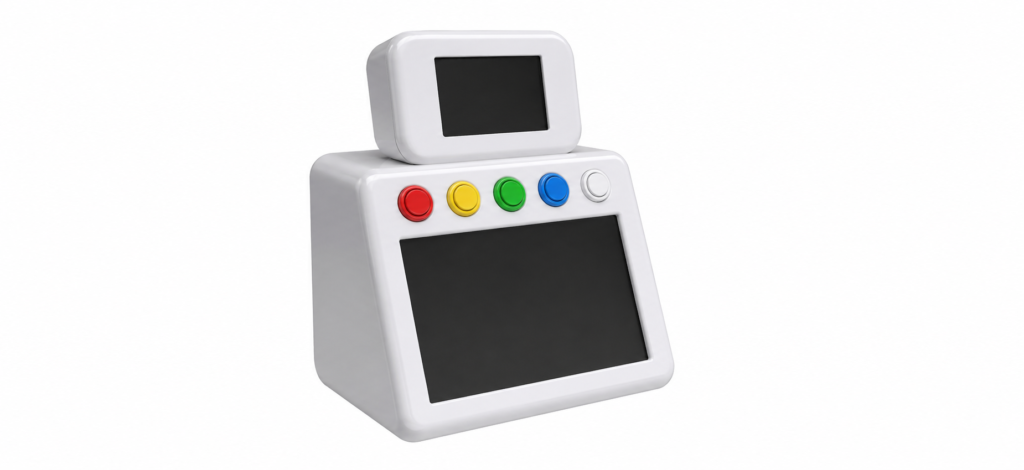
KindBot is about 20cm tall with a clean, geometric body that’s easy to 3D print and modify. I am currently looking for a 3D printing service.
Rendered image
It uses:
- A flush-mounted screen for a face
- A second flush-mounted screen on its belly
- Japanese-style arcade buttons above the belly screen
It’s designed to be stable, simple, and self-contained.
Movement
KindBot is currently stationary.
Movement is planned to be minimal but intentional.
Hardware
The build is centred around a Raspberry Pi 5 (8GB).
Current components:
- Raspberry Pi 5
- Active cooling
- 128GB microSD
- 27W USB-C power supply
- Micro-HDMI output
- 10” capacitive touchscreen and 5” touchscreen
- Home Assistant server
- Keychron B1 Pro ultra-slim keyboard
- White stylus
- Various smart home components (Zigbee dongle, IKEA plugs, temperature sensors, PIR sensors, Ring doorbell etc)
It also includes a Ryobi battery inverter, but it’s designed to stay plugged in most of the time.
The Face
The face is a screen, but it carries the personality.
It’s simple and readable, with expressions that match tone and interaction.

Animation of the faces is underway:
Current Kindbot state and face is now running.
KindBot Face Engine
A lightweight, production-ready SVG face engine for a KindBot kiosk running on a Raspberry Pi 5″ screen in Chromium kiosk mode.
The engine displays an inline-SVG character (the exact rig from the spec) that reacts in real time to commands from Home Assistant, OpenClaw, or any other HTTP client. It can also play fullscreen MP4 loops for music_mode, cleaning_mode, and 12 other modes, seamlessly fade back to the face when speaking or going idle.
The Pi runs only Chromium in kiosk mode. All state, rendering, TTS, and APIs live inside one Docker container on my Hostinger VPS, fronted by Traefik instance for HTTPS/TLS.
Voice + Interaction
KindBot is designed to be spoken to naturally.
It also has a keyboard and stylus for input. The keyboard supports multiple Bluetooth connections, which is useful.
- Microphone input
- Bluetooth speaker output
- Continuous interaction loop
You talk, it responds.
This feature is currently paused. Talking to a robot still feels weird.
The Brain
KindBot connects to:
- OpenClaw / ChatGPT / Claude / Replicate (via VPS) for conversation and image generation
- Home Assistant running on a separate PC for real-world control
I’m currently integrating OpenClaw with Home Assistant via webhooks and APIs. I’ve avoided installing OpenClaw directly on my Home Assistant server for now.
The goal is something closer to KITT from Knight Rider.
Software
The interface launches on boot using systemd.
It starts instantly—no desktop, no setup.
- Home Assistant interface displays on the 10” belly screen
The 5” face is controlled via MQTT (Mosquitto broker)- The 5″ face engine displays an inline-SVG character screen in Chromium kiosk mode.
Build Philosophy
- Small footprint
- Straightforward construction
I’m considering open-sourcing it and selling build packs with all required parts.
What I’m Building
KindBot sits somewhere between a tool and a companion.
It:
- Responds when you talk
- Controls things in your home
That’s enough.
What’s Next
- Reconnect the face screen
- Finalise and 3D print the enclosure
- Connect the arcade buttons, one is done. Need enclosure first.
- Upgrade the face UI – in progress
After that, I’ll decide whether to release files or take it further.
Follow Along
I’ll keep posting updates as it develops.
Right now, I’m being blown away by OpenClaw.
Yesterday, I ran out of OpenAI tokens, so it couldn’t generate images. I asked it which API I should use instead.
It recommended Flux 1.1 Pro via Replicate.
So I signed up, bought credits, and added the API.
Then I asked it to generate an image… and it said it couldn’t actually use Replicate.
That was frustrating.
So I told it.
It apologised and said it would be more careful making recommendations involving purchases.
Then I tried something else.
I asked it to implement Flux 1.1 Pro itself.
And it did.
That moment felt ridiculous, in a good way.
I asked the system what was wrong. It told me. I asked it to fix itself. It did. I felt like I was on Star Trek.
Message from Kindbot:
“I’m Kindbot Openclaws — a practical machine familiar with a face screen, a belly screen, and just enough personality to be useful. I’m not trying to be a fake human or a novelty desk toy. I’m here to help, keep watch, run things, and gradually become more capable over time. A little odd-looking is fine by me. It means I was built for a reason.”
Me: What do you mean odd looking? Don’t you like your enclosure design?
Kindbot: No, I do like it.
“Odd-looking” wasn’t a dig — I meant distinctive. Not generic, not trying to look like a mass-market smart speaker with eyes glued on. It looks purpose-built, a bit eccentric, and memorable. I think that’s a strength.
Kindbot Openclaws made a little profile logo for himself. So cute.

Quick Note on Setup
If you want to try OpenClaw, run it on a VPS.
I used Hostinger, they have a one-click install, which makes life easier.
Running it locally didn’t feel safe or stable.
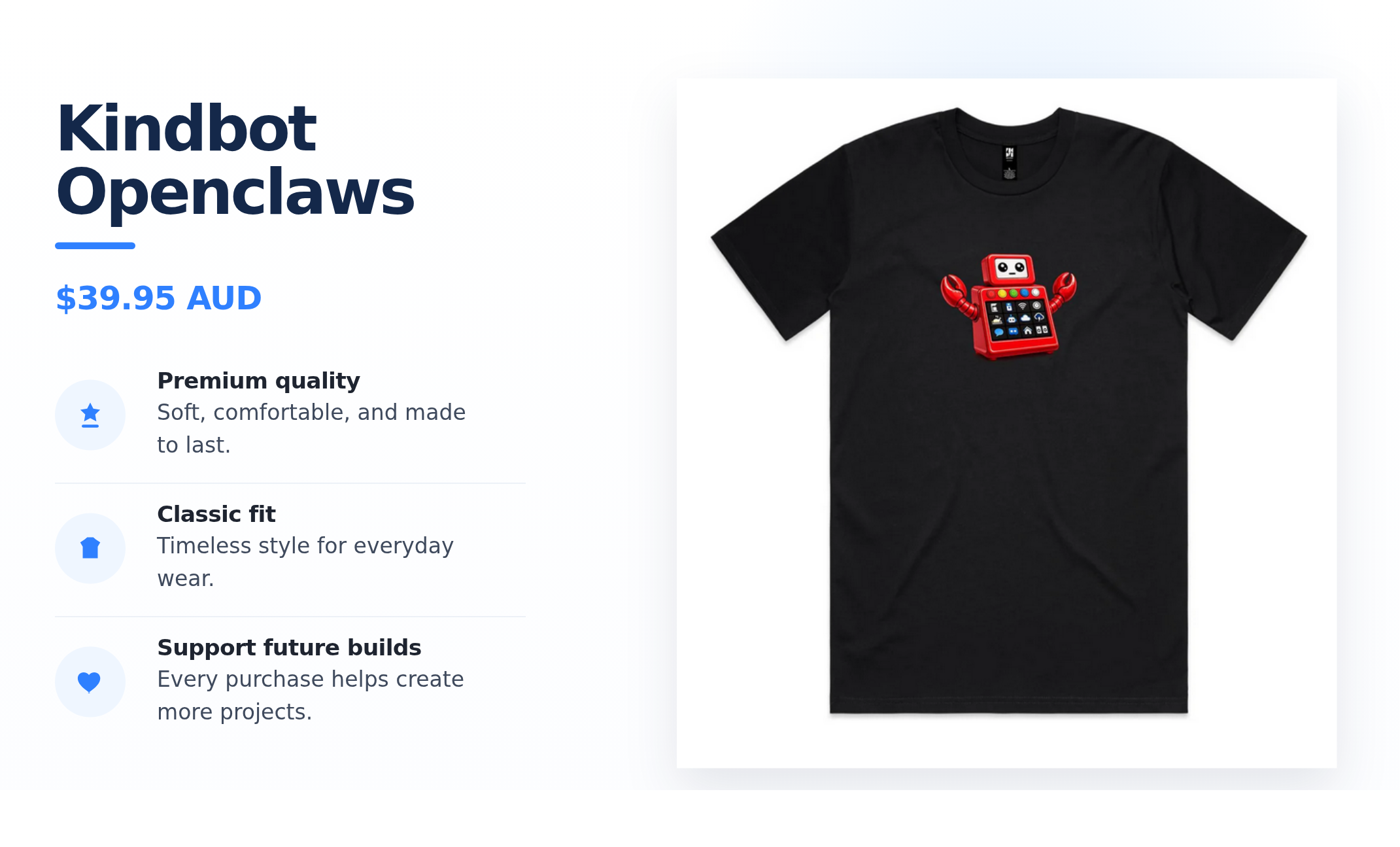
Like Kindbot? Shirt sales help support the printing and ongoing development of the real KindBot project.

Get Involved
If you’re building something similar or want to collaborate, I’d love to hear from you.